


The prerequisite issues are finished and their statuses are updated, but the dependent issue still sits in Backlog. Someone needs to check the links, confirm that every prerequisite is complete, and move it forward.
When that check depends on someone remembering to do it, ready work can sit unnoticed. This article looks at that gap between prerequisites reaching completion and dependent work becoming visible in the working queue.
What Exactly Is a Status Bottleneck?
A testing issue depends on two implementation issues. The first reaches a status in Jira’s Done category on Monday. The second reaches that category on Tuesday. Testing is now ready to enter the team’s queue, but its issue still shows Backlog until someone reviews both prerequisites and changes its status.
That manual check is the bottleneck StatusFlowPro addresses. Users still need to update the prerequisite issues as work progresses; the app handles the dependent transition once all prerequisites qualify.
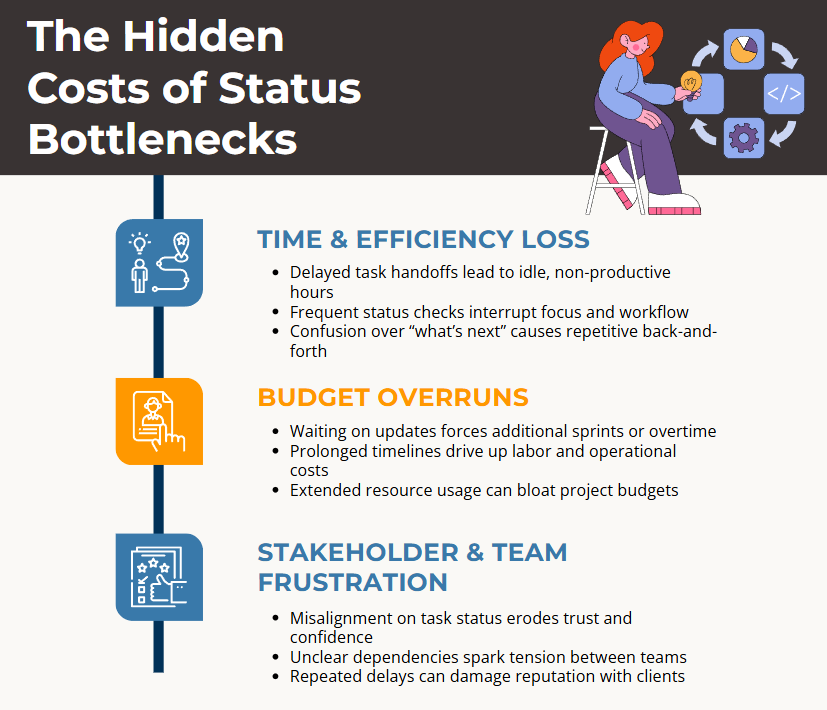
The Hidden Costs of Delayed Status Transitions
- Repeated checking: Someone must revisit prerequisite issues to determine whether dependent work is ready.
- Delayed handoffs: Ready work may wait until the next review, standup, or reminder.
- Unnecessary context switching: Teammates may interrupt other work to establish whether an issue can proceed.
- Unclear status information: A dependent issue can appear blocked even though its prerequisites have reached the required category.
How Automated Status Transitions Can Help
StatusFlowPro checks dependent issues when a prerequisite transitions to any status in Jira’s Done category. Each dependent issue transitions only when all its prerequisites are in statuses belonging to that category.
The destination comes from a workflow-specific exception or, otherwise, the highest-ranked status included in the dependent issue’s workflow. Backlog to To Do is one example; the destination depends on the administrator’s preferences and the issue’s workflow.
Teams establish those dependencies through the app’s dedicated Jira issue links. The relationships can span projects and do not need to follow Jira’s parent-child hierarchy.
Why It Works
- Automatic prerequisite checks: When a prerequisite transitions to a status in Jira’s Done category, StatusFlowPro evaluates each dependent issue against all its prerequisites.
- Fewer manual handoff updates: Users keep prerequisite statuses current. StatusFlowPro handles the dependent transition when the prerequisites qualify.
- Clear Dependency Visibility: StatusFlowPro adds a special “SFP-Update” linked issue type so your team can see exactly which tasks are prerequisites and whether they’re finished. Better yet, it leverages Jira’s existing issue-linking feature – something your users are likely already comfortable with – so there’s no need to learn an entirely new process.
Making Bottlenecks a Thing of the Past
- Set destination preferences: Rank your preferred destination statuses once, then add exceptions for workflows that need a different preference. This ranking determines which destination to choose; it does not define the sequence of steps in a workflow.
- Transparent Communication: One of the biggest frustrations with workflow automation is when teammates don’t realize why an issue changed status. To solve this, StatusFlowPro automatically adds a comment whenever it transitions an issue, mentioning the assignee and explaining what triggered the status change. This transparent feedback loop builds trust in the automation and reduces the need for back-and-forth pings.
- Adaptable Dependencies: Unlike hardcoded automation tools, StatusFlowPro doesn’t lock you into a single project or a fixed hierarchy. You can create or change dependencies whenever and wherever they’re needed, even between issues in different projects. This flexibility means you’re free to evolve your workflow over time without rewriting complex automation rules - perfect for teams that regularly adjust priorities or collaborate across multiple backlogs.
Where the Time Savings Come From
Consider a team that spends a combined five hours each week checking prerequisites and manually updating dependent statuses. Over 52 weeks, that adds up to 260 person-hours.
That is an illustration, not a measured StatusFlowPro result or a promise that every hour can be recovered. The useful question is how much of your team’s repeated checking and updating could be handled through automatic dependent transitions.
Start with one recurring handoff. Look at who checks the prerequisites, how often they check, and whether ready work waits for a manual status update. That gives you a concrete basis for deciding whether automation would help.
Start with one recurring handoff
Choose a dependent issue whose prerequisites your team already checks manually. Link those prerequisites using StatusFlowPro’s dedicated issue-link relationship and review the destination-status preferences.
As users update the prerequisite issues, StatusFlowPro checks whether they have all reached statuses in Jira’s Done category. Once they qualify, it handles the dependent transition.
Read the StatusFlowPro documentation for setup instructions, or visit the Atlassian Marketplace listing to learn more.